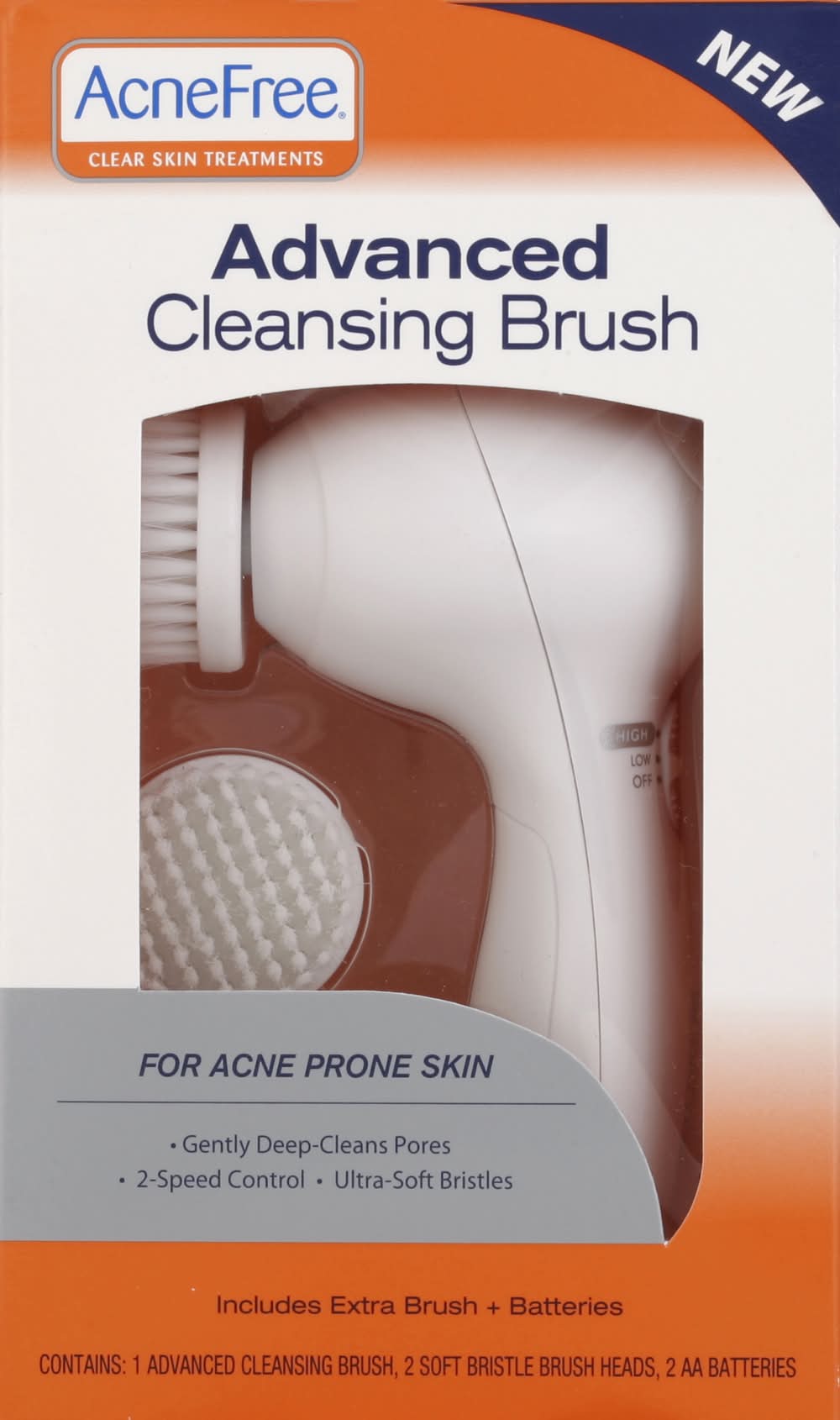
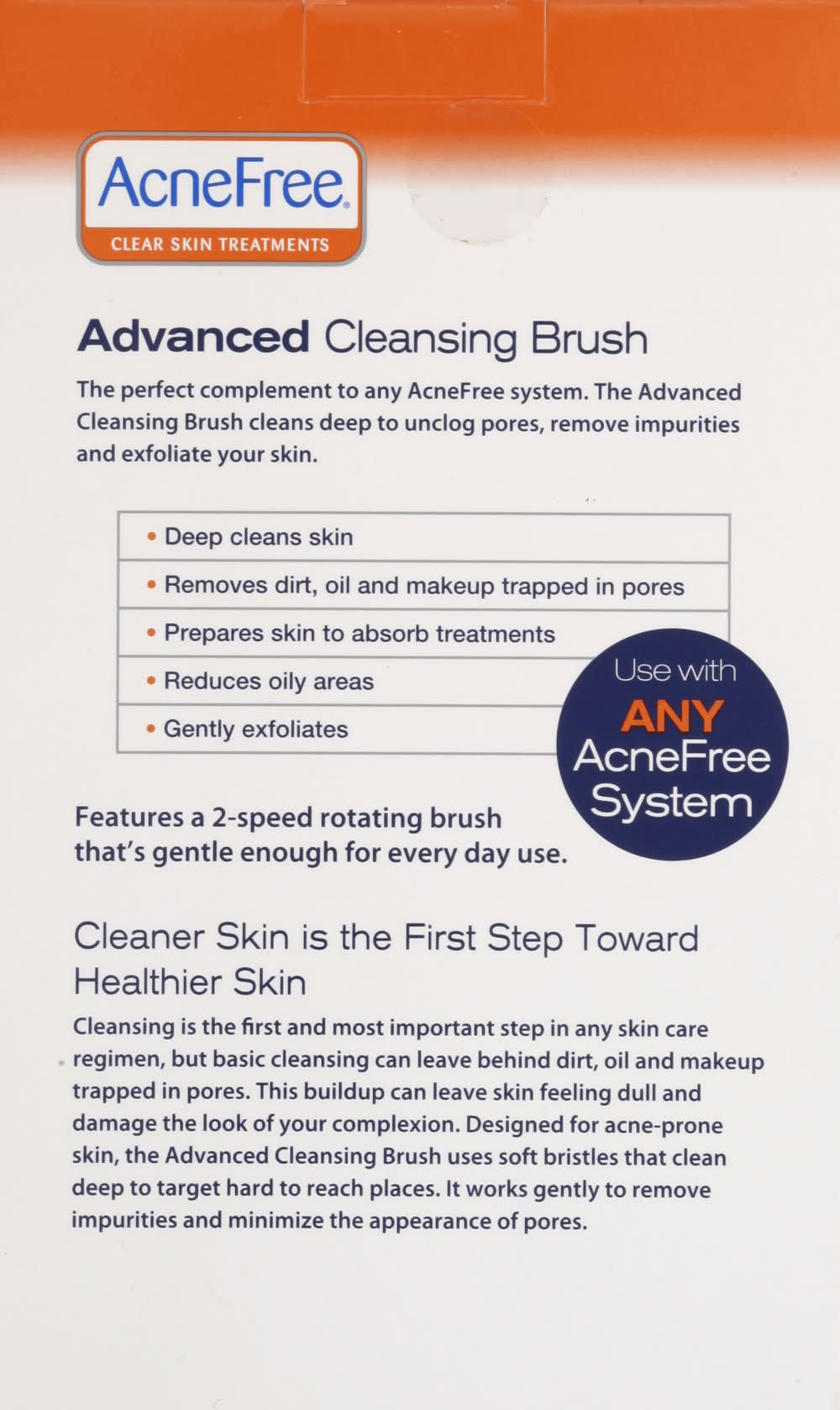

AcneFree Advanced Cleansing Brush
Cleansing Brush, Advanced VALEANT PHARMACEUTICALS,
Directions: Preparing the Advanced Cleansing Brush for Use: Installing Brush Head: Press the brush head onto unit until it locks into position with a click. Installing Batteries: Remove battery cover. Insert 2 AA batteries, aligning +/- symbols. Replace batteries as needed. Do not mix old and new batteries as unit may become damaged. Recycle or dispose of batteries properly. How to Care for Your Advanced Cleansing Brush: To keep your Advanced Cleansing Brush in great condition, do not use abrasive cleansers or chemicals to clean any part of the brush. Do not put any part of the Advanced Cleansing Brush unit in a dishwasher. Do not immerse in water or use in the shower. For Best Results: After use, remove the brush head from handle and rinse with warm soapy water to remove any residue. Use once a day. Dampen skin, rinse brush head and pat dry to remove excess water before attaching to brush unit. Apply any AcneFree cleanser to brush head, spreading a dime-size amount evenly over brush surface; this will avoid product from splattering onto clothing while brush is in motion. (Cleansers with Benzoyl Peroxide may bleach clothing/towels.) Gently massage over face for approximately 60 seconds, concentrating on troubled areas. Avoid the eye and mouth area. Be careful not to press too hard; this will limit the motion of the brush and reduce its effectiveness. Rinse face, remove brush head and rinse thoroughly. Recommended: For sensitive skin, use 2-3 times a week on low speed. If any slight redness occurs after use, it should fade within half an hour.
Stores near you
ALDI
 ALDI64 min
Dollar General
 Dollar General 34 min
Best Buy
 Best Buy45 min
Speedway
 $5 offSpeedway19 min
Dick's Sporting Goods
 Dick's Sporting Goods48 min
DSW
 DSW54 min
Five Below
 Five Below55 min
Meijer
 Meijer72 min
Why Uber Eats?
Fast, convenient delivery
Get groceries delivered when you need them.
Chosen with care
Experienced shoppers select just what you’re looking for.
Order with confidence
Review replacements for out-of-stock items in real time.
Life doesn’t happen on a schedule, we’re making it possible to place orders from grocery stores on Uber Eats whether or not they’re open—with delivery in the first available window or scheduled at your convenience.
We’ve invested in technology to give users peace of mind—introducing improved support for shoppers in-store and live order tracking for consumers to follow the shopping experience every step of the way. Now as each item is scanned and added to your cart for checkout, your order is paid and on its way… you’ll know.
You know what you want, and how you want it. Now, so do we. If for any reason an item is low in stock, we’re making product replacements effortless, and we’ve made shopping more intuitive—including items sold by weight.
With grocery items now available from Uber in 33 countries—the shopping experience on Uber Eats is about to get better than ever. By investing in strong grocery partnerships and building features that consumers, merchants and shoppers are looking for, we’re bringing the whole world one step closer to truly getting anything delivered to their doorsteps.
Frequently asked questions
Can I order AcneFree Advanced Cleansing Brush with Uber Eats?
Uber Eats is available in hundreds of cities around the world. Enter your delivery address to shop for AcneFree Advanced Cleansing Brush delivery near you.
How do I order AcneFree Advanced Cleansing Brush near me?
To discover the stores near you that offer AcneFree Advanced Cleansing Brush on Uber Eats, start by entering your delivery address. Next, you can browse your options and find a place from which to order AcneFree Advanced Cleansing Brush online.
Can I order AcneFree Advanced Cleansing Brush from anywhere in my city?
Your AcneFree Advanced Cleansing Brush delivery options may vary depending on where you are in a city. Enter your address to browse AcneFree Advanced Cleansing Brush delivery options near you.
Is pickup available?
In some cities you can opt to place a pickup order. See step-by-step directions here on how to place a non-delivery order.
How late can I get my order delivered?
View a store’s business hours to see if it will be open late or around the time you’d like to order AcneFree Advanced Cleansing Brush.